Keeping Magento Modules Updated Used to Be a Chore
If you run a Magento store with several modules installed, you already know how time consuming it can be to keep everything updated.
The traditional process often looks like this:
- Log into Magento admin
- Search through installed modules
- Check version numbers manually
- Visit developer websites
- Compare versions
- Copy Composer commands
- Run updates from the command line
When you only have a few modules installed this may not seem like a problem.
But once your Magento store grows and you begin relying on many extensions, the process quickly becomes tedious and easy to postpone.
The Real Risk of Delaying Updates
Many store owners delay module updates simply because checking them takes time.
Unfortunately, outdated extensions can lead to problems including:
- Security vulnerabilities
- Compatibility issues with Magento upgrades
- Bugs that were already fixed in newer releases
- Performance improvements you never receive
We experienced this exact problem ourselves while running our own Magento store.
So we built a solution.
Introducing the QKits Module Manager
The QKits Module Manager was designed to make managing Magento modules dramatically easier.
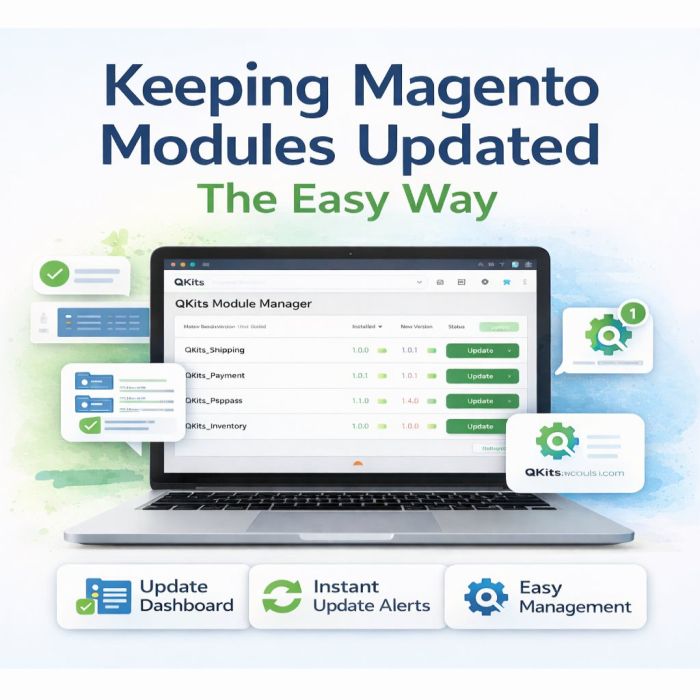
Instead of manually checking each extension, the Module Manager provides a single dashboard inside Magento that displays the status of all installed QKits modules.
From one page you can instantly see:
- Installed modules
- Current module versions
- Available updates
- Previous versions for rollback
- Enable and disable status
Everything appears in one simple interface inside your Magento admin panel.
Live Version Checking
Each time the dashboard loads, the Module Manager performs a live version check against the QKits module repository.
If a newer version of any module is available, you will immediately see a notification showing the new version number.
This means you always know whether your store is running the latest version.
Automatic Update Commands
Updating Magento modules typically requires running Composer commands from the server terminal.
The Module Manager removes the guesswork by generating the exact update commands required for the module.
Simply copy and paste the commands into your terminal and run the update.
No documentation hunting.
No command errors.
No confusion.
Built-In Rollback Protection
Updates occasionally need to be reversed if a conflict appears.
To make this easy, the Module Manager shows the previously installed version of every module along with a rollback command.
If necessary, reverting to the previous version takes only seconds.
No Extra Installation Required
The Module Manager installs automatically whenever you install a QKits module.
There is nothing additional to configure.
Simply open the dashboard inside Magento admin and you will immediately see all installed QKits modules and their status.
A Simpler Way to Maintain Magento
Running a Magento store already involves many moving parts.
The QKits Module Manager removes one of the most tedious maintenance tasks by giving store owners a clear overview of module health, updates, and management tools.
Instead of spending time hunting for updates, you can keep your store current with just a quick look at one dashboard.
Magento maintenance should be simple.
The QKits Module Manager helps make that possible. Included as a dependency of all QKits Magento modules.